Wasteland Structures Skin: Skin: What It Is, How to Get It and What It Does
Doors are heavily featured, with support for Standard, Cellar, Large Cellar, Hangar, Large Hangar, Barn, and Large Barn styles. Vertical elements include win
Introduction to the Wasteland Aesthetic
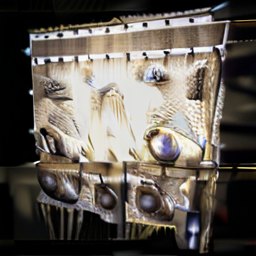
The Wasteland Structures Skin is a specialized cosmetic item introduced in the 57.12 update via the "Bob's Tall Tales" DLC. This skin transforms the visual appearance of numerous structures within the game into a gritty, post-apocalyptic Wasteland style. It is exclusively available to players who have purchased the "Bob's Tall Tales" adventure pack; without this DLC, the skin cannot be equipped or accessed. The item has no weight and occupies a single stack slot, making it easy to carry and manage in your inventory.
Accessing and Applying the Skin
To utilize this skin, players must first ensure they have the required DLC installed. Once unlocked, the Wasteland Structures Skin appears in the cosmetics tab of your inventory. You can access the item either directly from your hotbar or by navigating to the cosmetics menu. Application is a straightforward process: select the skin and place it over the specific structures you wish to modify. A key advantage of this skin is that it imposes no resource tier restrictions, meaning it can be applied to structures regardless of the materials used to build them, allowing for total aesthetic flexibility.
Compatible Structural Elements
The skin offers extensive compatibility across a wide variety of building components, organized into specific modes that can be switched using the forward slash (/) key. The primary "Wasteland Structures" mode covers a comprehensive list of elements including foundations (Standard, Quarter, Triangle, and Quarter Triangle), walls (Standard, Quarter, Large, and Windowframes), and doorways (Standard, Short, Double, and Secret).
Doors are heavily featured, with support for Standard, Cellar, Large Cellar, Hangar, Large Hangar, Barn, and Large Barn styles. Vertical elements include windows, ceilings (Standard and Quarter), hatch frames, trapdoors, railings, and pillars (Standard, Half, Thin, and Thin Half). Structural supports like beams (Standard, Half, Thin, and Thin Half), sloped walls (Standard and Shallow), and roofs (Standard, Quarter, Triangle, and Corners) are also included. Furthermore, the skin supports ramps (Standard, Quarter, and Corners), stairs (Standard and Quarter), staircases, fence foundations, fence supports, ladders, and gates (Standard and Behemoth).
Specialized Modes for Doors and Storage
Beyond general structures, the skin includes dedicated modes for specific functional items. The "Wasteland Doors" mode is limited strictly to Standard doors, offering a distinct look for entryways. The "Wasteland Storage" mode applies the aesthetic to various storage containers, though the specific container types are not fully detailed in the available text, they are confirmed to be compatible. Similarly, the "Wasteland Seats" mode covers seating options, ensuring that benches and chairs can also adopt the wasteland theme. These specialized modes allow players to maintain a consistent visual theme across their entire base, from the main entrance to the storage lockers.
Incompatible Structures and Limitations
While the compatibility list is extensive, certain structures remain incompatible with the Wasteland Structures Skin. Players should note that Water Intakes and Taps cannot be skinned with this item. Additionally, Tree Platforms and Cliff Platforms are excluded from the skinning process. There are other unspecified structures that also fall into the incompatible category, meaning players may need to rely on default textures for these specific elements even when the rest of their base is fully themed. Attempting to apply the skin to these incompatible structures will not result in the desired visual transformation.
Visual Customization and Base Building
The ability to switch between modes using the (/) key provides dynamic customization options during the building process. This feature allows architects to mix and match different parts of the skin or toggle between the general structure skin and specific door/storage skins to achieve a cohesive look. Since the skin has no resource tier restrictions, players can apply it to both basic mud brick foundations and advanced steel hangars, unifying the aesthetic regardless of the technological level of the base. This makes the Wasteland Structures Skin a versatile tool for players looking to create immersive, story-driven environments that reflect the harsh conditions of a post-apocalyptic wasteland.
Frequently asked questions
Introduction to the Wasteland Aesthetic?
The Wasteland Structures Skin is a specialized cosmetic item introduced in the 57.12 update via the "Bob's Tall Tales" DLC. This skin transforms the visual appearance of numerous structures within the game into a gritty, post-apocalyptic Wasteland style.
Accessing and Applying the Skin?
To utilize this skin, players must first ensure they have the required DLC installed. Once unlocked, the Wasteland Structures Skin appears in the cosmetics tab of your inventory.
Compatible Structural Elements?
The skin offers extensive compatibility across a wide variety of building components, organized into specific modes that can be switched using the forward slash (/) key. The primary "Wasteland Structures" mode covers a comprehensive list of elements including foundations (Standard, Quarter, Triangle, and Quarter Triangle), walls (Standard, Quarter, Large, and Windowframes), and doorways...
Specialized Modes for Doors and Storage?
Beyond general structures, the skin includes dedicated modes for specific functional items. The "Wasteland Doors" mode is limited strictly to Standard doors, offering a distinct look for entryways.
Incompatible Structures and Limitations?
While the compatibility list is extensive, certain structures remain incompatible with the Wasteland Structures Skin. Players should note that Water Intakes and Taps cannot be skinned with this item.
Visual Customization and Base Building?
The ability to switch between modes using the (/) key provides dynamic customization options during the building process. This feature allows architects to mix and match different parts of the skin or toggle between the general structure skin and specific door/storage skins to achieve a cohesive look.
Play on AncientARK
Join our ARK: Survival Ascended servers and put this guide into practice.
See the store